

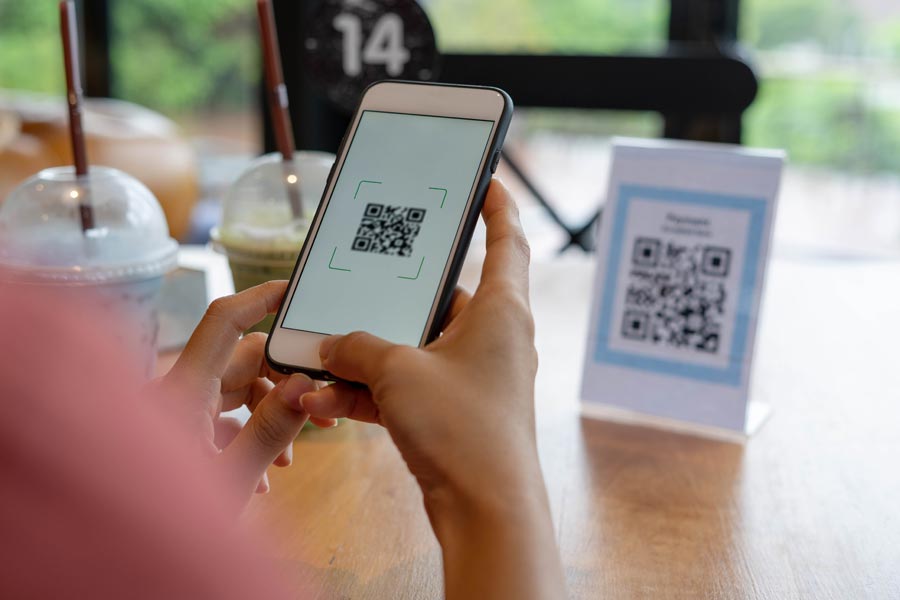
Dynamic QR codes are changing how offices, campuses and shared facilities welcome visitors. Unlike fixed codes, they can point to updated information and support access rules that respond to schedules, locations and guest status. The differences between static and dynamic QR codes make the latter especially useful for visitor management.
When connected to an access platform, a digital invitation can become a temporary credential that reduces lobby delays while giving facility teams tighter operational control.
The Evolution of Lobby Check-In
Traditional check-in usually requires a visitor to approach reception, provide identification and wait while an employee creates a badge. That process works at low volume, but queues can form when several contractors, interview candidates or event attendees arrive together.
A digital workflow moves much of that work before arrival. The host registers the guest, who receives a unique link or QR code by email or text. At the lobby, the visitor scans the code at a kiosk and follows any required steps, such as confirming contact details or reviewing site policies. Reception staff can then focus on exceptions and guests who need personal assistance. Keep a staffed alternative available for anyone without a suitable device or accessible digital option.
Why Static Badges Fall Short
A printed badge shows that someone checked in, but its appearance alone may not reveal whether access remains valid. Badges can also be misplaced, copied or kept after a visit. Staff members must collect them consistently and recognize expired credentials on sight.
Dynamic QR credentials provide more control because the system evaluates the code when it’s presented. A facility can revoke an invitation after a meeting is canceled, restrict it to one site or update destination links for created short URLs after checkout. Each code should be unique to the named guest and generated through a controlled platform. Avoid placing permanent, publicly visible codes near entrances because photographs could circulate beyond the intended audience. Clear instructions should also tell visitors not to forward their invitation.
Connecting Guest Links to Turnstiles
Integration allows the guest link to work beyond the reception kiosk. After the visitor completes check-in, the system can activate permission for an approved entrance, floor or meeting area. The turnstile or reader checks the credential against current access rules before allowing entry.
Facility operators evaluating this setup should confirm that visitor registration, identity checks and door permissions share accurate status information. Genetec access control solutions are one option for enterprise security managers who need to coordinate access operations across multiple locations. During implementation, test normal arrivals along with canceled visits, repeated scans, offline readers and early departures. A failed test should produce a clear message and direct the guest to staff, not leave the person guessing at the entrance.
Managing Time-Sensitive Access Windows
Time limits turn a QR credential into a narrowly defined permission. A vendor scheduled from 9 a.m. to noon might receive access from 8:45 a.m. until 12:15 p.m., allowing reasonable arrival and departure time without leaving the credential active all day. A conference guest may have access only during event hours and only through designated public entrances.
Set these windows according to the purpose of the visit. Include modest buffers for predictable delays, but avoid defaulting every guest to broad, full-day access. Hosts should receive a reminder before the visit and have a simple way to request an extension. If a meeting runs late, authorized staff can adjust the expiration time without issuing a new badge. The system should record who approved that change and when it occurred.
Auditing Foot Traffic Automatically
A connected visitor system can record invitations, arrivals, denied scans, departures and expired credentials. These records help facility teams review building use, investigate access problems and confirm that guests left restricted areas on schedule. Aggregated data can also reveal operational patterns, such as a recurring queue at 8:30 a.m. or an entrance that produces frequent scanning errors.
Collect only the information needed for access and reporting. The NIST Privacy Framework offers a useful structure for identifying privacy risks and governing personal data. Define retention periods, limit access to visitor records and explain the process in a concise privacy notice.
A useful audit trail should tell staff what happened without preserving guest information indefinitely. When the last valid scan closes the visit cleanly, both the entrance experience and the record behind it become easier to manage.